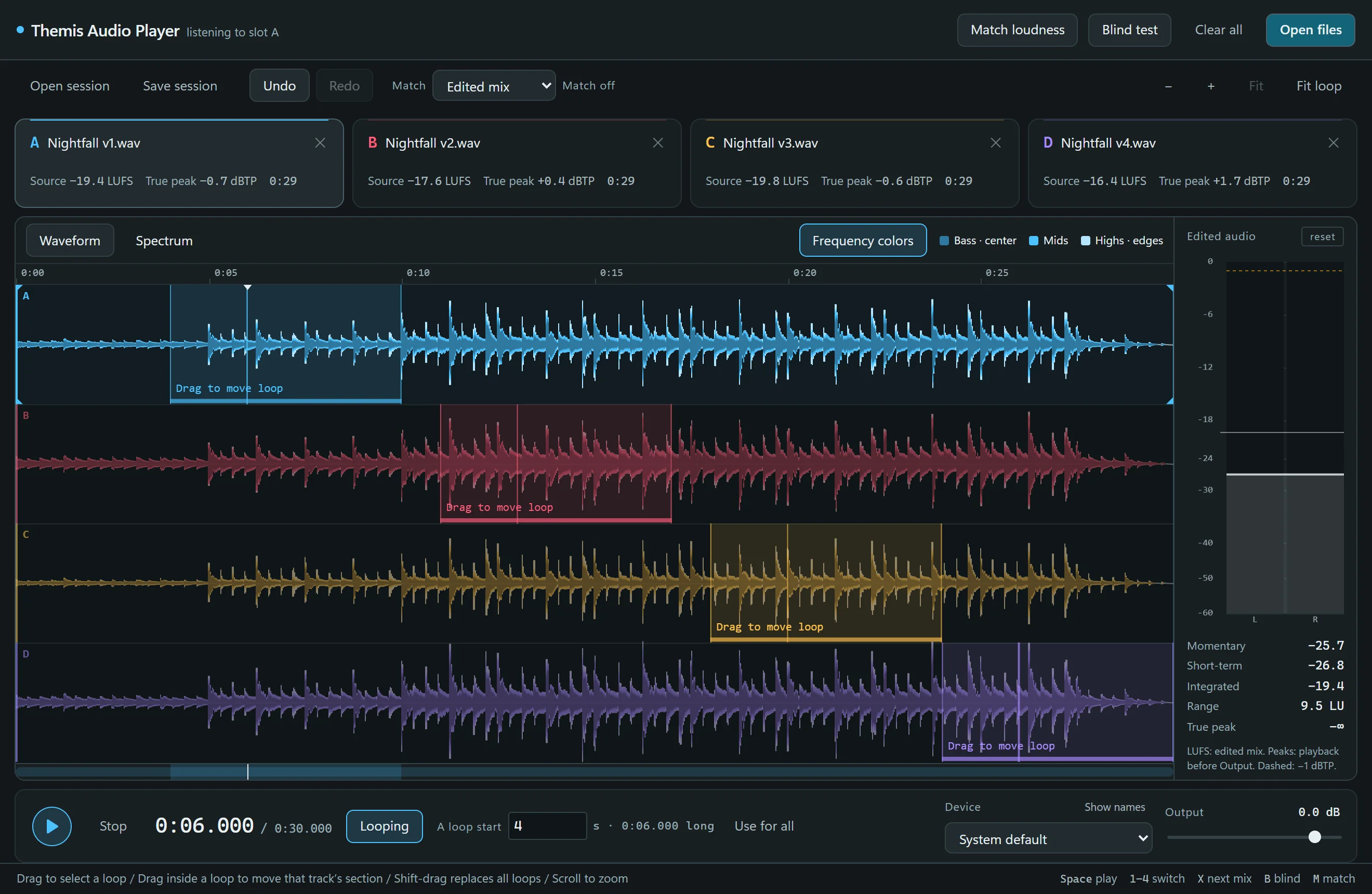
Themis Audio Player is a desktop tool for Windows and macOS for deciding between bounces of the same music. Load up to four mixes, switch between them while they play in sync, match their loudness, look at their spectra, and test your preference blind.
Desktop application for Windows and macOS
Up to four mixes on one shared clock
Loudness matching, spectrum analysis and blind testing
Non-destructive trim, fade, gain and timing edits
Four mixes of the same passage on one timeline, with a shared loop and frequency-colored waveforms.
Four mixes, one clock
Open or drop audio files into slots A to D. Every loaded mix follows the same playback clock, so switching with the number keys or X keeps you at the same moment in the music.
Drag across a waveform to select a loop on all tracks, or move one track’s section on its own so A can repeat the chorus while B repeats the bridge. Scroll to zoom in on the playhead; the bar underneath scrolls the whole comparison.
Trim and fade
Drag the handles on a waveform to trim a start or an end, and pull a fade in or out. A lever bends the fade from linear to steep, and a double-click puts it back.
Nothing is written to your files. Each drag is a single undo step, and a hundred steps are kept.
Match loudness before you judge
Louder usually sounds better, which is not the same as being better. Match loudness measures every edited mix, or just the selected loop, and brings the others down to the quietest one with a single constant gain change. No compressor, no limiter.
The slot rail shows each mix’s source loudness, its true peak and the exact correction applied. The meter panel reads momentary, short-term and integrated loudness plus range for the edited audio, measured to ITU-R BS.1770-4 and EBU Tech 3342.
See what you hear
Frequency colors paint bass, mids and highs into the waveform itself, so tonal balance is visible at a glance. The spectrum view analyses every loaded mix at the same position: the listening mix is solid, the others dashed, with a running average building underneath.
Hover to measure. The ruler reads every pair at one frequency, so “A vs B +2.0 dB” means exactly what it says. Whole track averages each mix’s entire kept audio in the background.
Listen to one band
Hold Alt and drag across the spectrum to hear only that range. Press X to compare the mixes through the same filter, then release Alt to return to the full mix.
Auditioning changes only what you hear. The curves, measurements, matching, edits and saved audio stay exactly as they were.
Decide blind
Start a blind test and the app hides filenames, waveforms, meters and edit controls. The starting mix and switching order are randomized. Switch as often as you like and record a preference when you have made up your mind.
Reveal shows which mix was which and how the votes fell. It is a preference comparison for your own decisions, not a statistical ABX test.
Specifications
Platform
Windows 10 and 11, 64-bit; macOS 10.13 or later, one universal build for Apple Silicon and Intel