All products
Effect plugin · Windows and macOS

Gap God

Sixteen steps. In time.

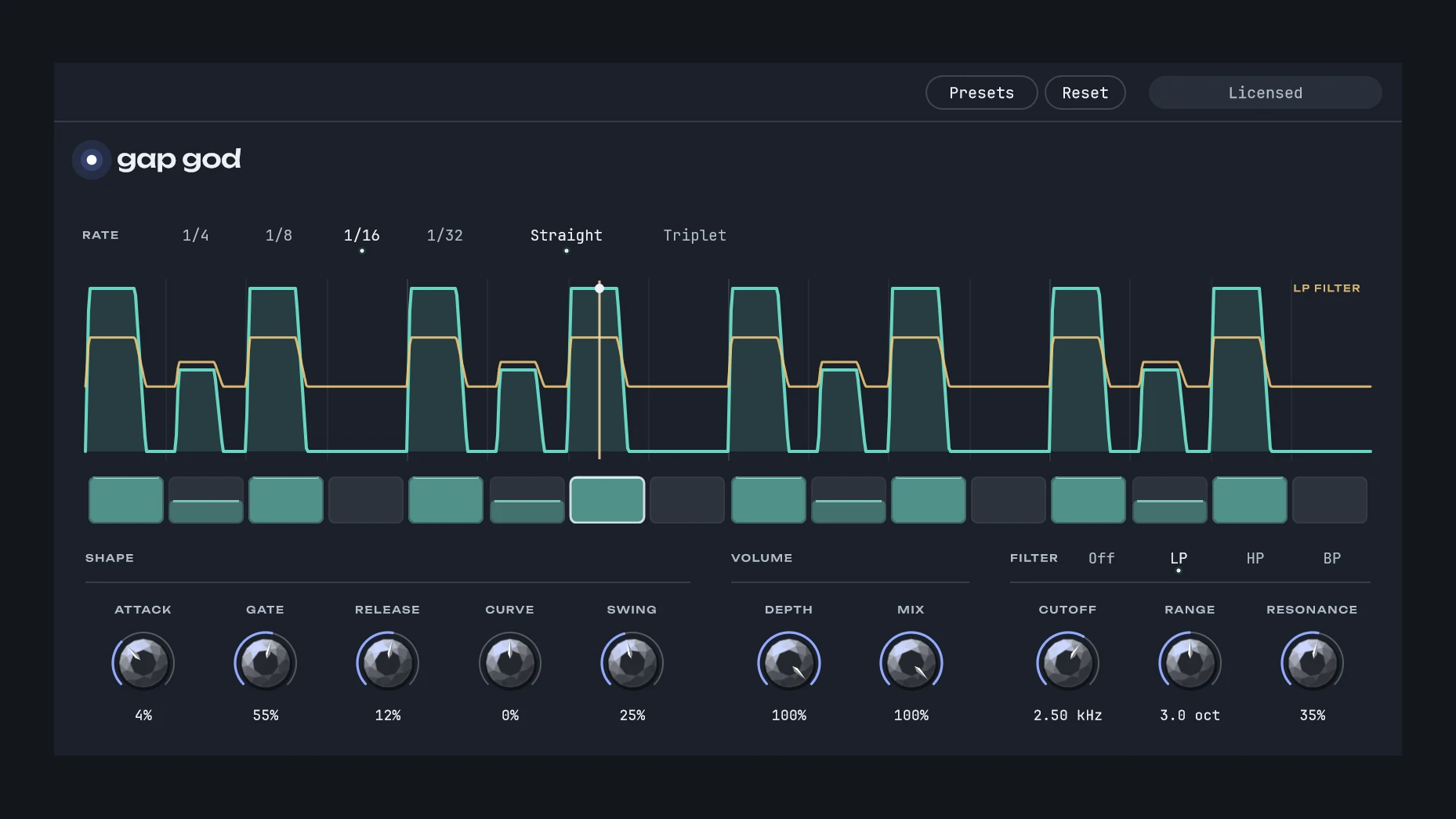
Sixteen steps cut the sound up at 1/4, 1/8, 1/16 or 1/32 notes, straight or triplet, with swing. Each step that is on opens a gate at its own level, shaped by Attack, Gate, Release and Curve. The same shape can drive a low-pass, high-pass or band-pass filter, which closes as the gate does. Gap God runs by itself: while your DAW plays it follows the bars, a note sent to it starts the pattern from its first step, and with nothing playing the sound passes untouched.

  • 16 steps at 1/4, 1/8, 1/16 or 1/32 notes, straight or triplet, with swing
  • Each step at its own level: click a step to turn it on or off, drag across to paint, draw in the curve for levels
  • The gate’s shape: Attack, Gate (how long it stays open), Release and Curve
  • Depth sets how far the closed gate ducks the sound; Mix blends it with the dry signal
  • A filter (LP, HP or BP) moved by the gate: Cutoff, Range (up to 8 octaves) and Resonance
  • In time with your DAW’s bars while it plays; a note sent to it starts the pattern from its first step
  • With your DAW stopped and no note, the sound passes untouched; no latency
  • Your own presets, there in every project, and Reset; your DAW automates the controls and your project keeps them, the steps too
The Gap God window: the gate’s curve over sixteen steps with the filter’s line, the rate, and the knobs for the shape, the volume and the filter

Gap God from Blazar Core, in your DAW

Blazar Core, Alex’s DAW, has Gap God as one of its own effects. This is the same Gap God, with the same code, so it sounds exactly the same.

Chop a pad, a drone or a whole bus in time with your song. Draw the steps, shape the gate, and let the same shape move a filter.

See Blazar Core

Before you buy

What you need
A DAW that hosts VST3 effects, on Windows or the Mac, or Audio Units on the Mac.
Not supported yet
Pro Tools (AAX) and CLAP.
Notes that start the pattern
Gap God has a MIDI input. Send it the notes of a MIDI track, in the way your DAW sends MIDI to an effect, and each note starts the pattern from its first step. DAWs differ in whether and how they send MIDI to an effect; without notes, Gap God follows your DAW’s bars while it plays.
Presets
Presets, at the top of the window, saves your settings and steps as presets of your own, there in every project (in Documents/Alex Pfeffer/Plugin Presets/Gap God). Reset sets every control back where it starts; the steps stay as they are.
The license key
Gap God opens on its key panel until you enter the key from your receipt: paste it, or drop the key file onto the window. Until then, your project and every setting stay as they are, and the sound passes through unchanged. The key is checked on your computer; nothing is sent online.

Specifications

PlatformWindows 10 or later, 64-bit; macOS 12 or later, Apple Silicon and Intel
FormatsVST3 on Windows and the Mac (an effect with a MIDI input); Audio Unit on the Mac (a MIDI-controlled effect)
Version1.0.1
Steps16
Rates1/4, 1/8, 1/16, 1/32, straight or triplet
ChannelsMono or stereo in, stereo out
LatencyNone
Not supported yetPro Tools (AAX), CLAP
LicenseOne key for Windows and the Mac, checked on your computer